


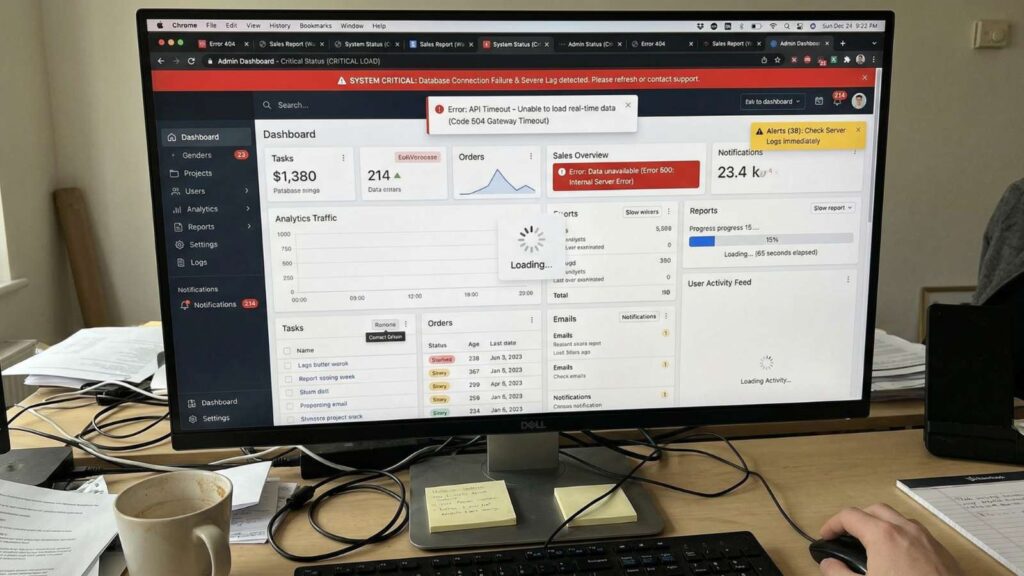
For many small and mid-sized businesses, website performance can feel like a technical black box. You know your site should load faster, convert better, and rank higher, but hiring a developer every time something needs improvement isn’t always practical or cost-effective.
The good news? You don’t need deep technical expertise to make meaningful improvements. With the right strategy and tools, it’s entirely possible to improve website performance without a developer.
In this guide, we’ll break down exactly how to optimize your website using beginner-friendly tools, automation, and AI-driven systems, so you can increase speed, enhance user experience, and drive more conversions without writing a single line of code.
Why Website Performance Matters More Than Ever
Website performance is no longer just about aesthetics, it directly impacts your bottom line. A slow or poorly optimized website leads to the following:
- Higher bounce rates
- Lower search engine rankings
- Reduced conversion rates
- Poor user experience
For small businesses especially, even a one-second delay in load time can significantly reduce leads and revenue. That’s why learning how to increase website speed for small business websites is critical in today’s competitive digital landscape.
Common Website Performance Issues (And Why They Happen)
Before fixing performance issues, you need to identify what’s slowing your site down.
Here are the most common culprits:
1. Large Image Files
Uncompressed images are one of the biggest causes of slow load times.
2. Too Many Plugins or Scripts
Excessive third-party tools can bloat your site and create conflicts.
3. Poor Hosting Performance
Low-quality hosting leads to slow server response times.
4. Lack of Caching
Without caching, your site reloads every element from scratch for each visitor.
5. No Performance Monitoring
Many businesses don’t track performance at all, making it impossible to identify or fix issues.
The key is not just fixing these problems, but implementing systems that prevent them from recurring.
Website Optimization Tools for Beginners
You don’t need to be a developer to optimize your website. Today’s website optimization tools for beginners are designed to simplify complex tasks into a few clicks. Here are the essential categories of tools to focus on:
Speed Optimization Tools
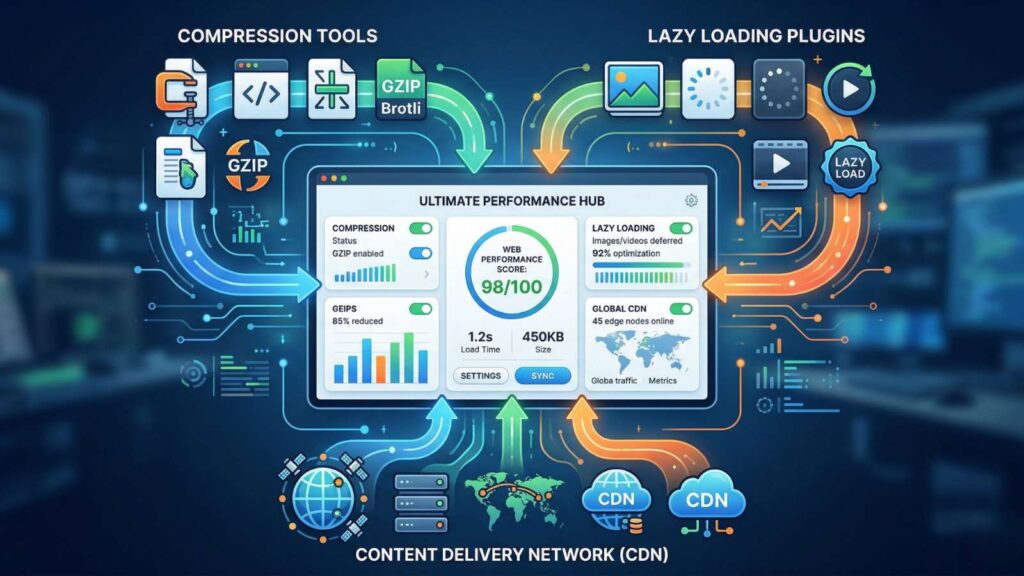
These tools help compress files, optimize images, and improve load times:
- Image compression platforms
- Lazy loading plugins
- CDN (Content Delivery Network) integrations
Many of these tools are plug-and-play, requiring minimal setup while delivering immediate improvements.
Performance Monitoring Tools
If you can’t measure it, you can’t improve it.
Monitoring tools provide insights into:
- Page load times
- Core Web Vitals
- User behavior and bounce rates
The most effective approach is to use dashboards that consolidate this data into a clear, actionable format, so you can continuously refine your website performance.
Automation and Workflow Tools
This is where non-developers gain a significant advantage.
Automation tools allow you to:
- Schedule performance checks
- Trigger alerts when issues arise
- Automate routine updates and optimizations
- Streamline lead capture and follow-ups
Instead of manually managing every aspect of your website, automation ensures consistency and efficiency at scale.
The Role of AI in Website Performance Optimization
Artificial intelligence is transforming how businesses approach website optimization. Instead of reactive fixes, AI enables proactive improvements.
An advanced AI-powered platform can:
- Analyze user behavior to identify friction points
- Optimize messaging for higher conversions
- Automate customer interactions in real time
- Provide actionable insights through integrated dashboards
This is where platforms like Unify360 become especially valuable.
How Unify360 Helps Improve Website Performance
While most people think of performance strictly in terms of speed, true website performance includes how effectively your site converts visitors into leads and customers.
Unify360 is more than just an AI marketing platform; it’s a complete AI-driven marketing platform designed to enhance both technical and engagement performance.
Here’s how it helps:
1. Centralized Communication Improves Conversion Rates
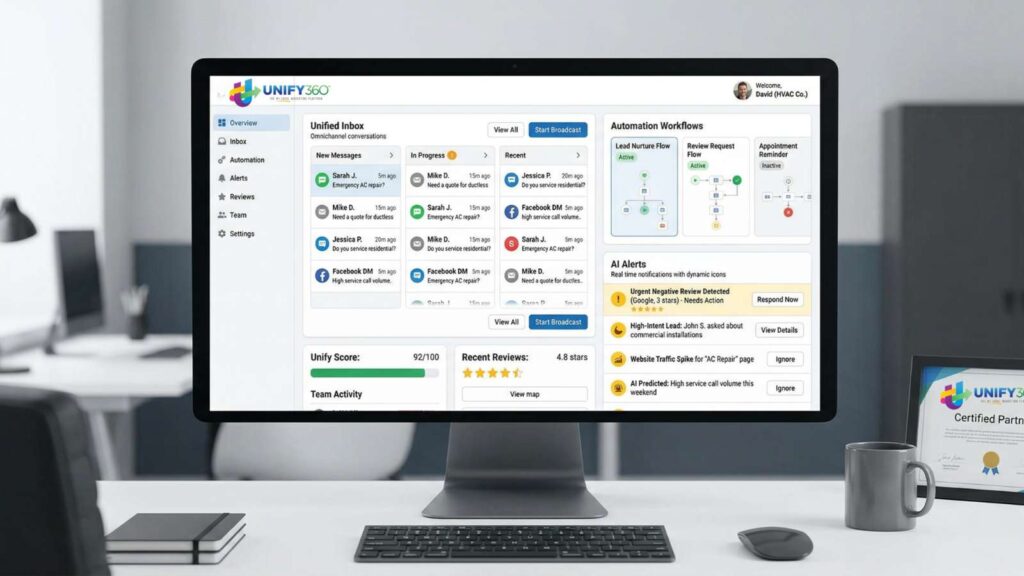
Slow response times kill conversions. Unify360’s unified inbox ensures that every inquiry, whether from your website, SMS, email, or social media, is captured and answered.
By functioning as a powerful AI customer engagement platform, it allows you to:
Respond instantly with AI-assisted replies
Never miss a lead
Maintain consistent messaging across channels
The result? Higher engagement and better conversion rates.
2. Automation Eliminates Bottlenecks
Manual processes slow down both your team and your customer journey. This not only improves operational efficiency but also ensures your website visitors are guided smoothly through the conversion funnel.
3. Built-In Dashboards Provide Actionable Insights
Performance optimization requires visibility.
Unify360 includes monitoring dashboards that track:
- Response times
- Lead engagement
- Customer interactions
- Campaign effectiveness
Instead of guessing what’s working, you get real-time data that helps you make informed decisions quickly.
4. AI-Driven Messaging Enhances User Experience
Your website isn’t just a static asset; it’s a communication channel. With AI-generated responses and smart messaging, Unify360 ensures that every visitor interaction is:
- Fast
- Relevant
- Personalized
This significantly improves user experience, which directly impacts overall website performance.
Step-by-Step: Improve Website Performance Without a Developer
Here’s a practical framework you can implement today:
Step 1: Audit Your Current Performance
Start by using beginner-friendly tools to identify:
- Page speed issues
- Broken elements
- High bounce pages
Focus on quick wins first, like optimizing images and reducing unnecessary scripts.
Step 2: Optimize Your Content and Media
- Compress images before uploading
- Use modern formats like WebP
- Limit heavy animations and videos
These changes alone can dramatically improve load times.
Step 3: Implement Caching and CDN
Most website platforms offer simple caching plugins or built-in features. Enable them to reduce load times and improve server efficiency.
Step 4: Streamline Plugins and Integrations
Remove any tools or plugins you don’t actively use. Every extra script adds load time and potential risk.
Step 5: Leverage Automation
Use automation tools to handle repetitive tasks such as:
- Form responses
- Lead nurturing
- Performance alerts
This ensures consistency without manual effort.
Step 6: Centralize Communication with an AI Platform
Instead of relying on multiple disconnected tools, adopt a centralized system like Unify360. This allows you to:
- Manage all customer interactions in one place
- Improve response speed
- Increase conversion rates
- Maintain a seamless user experience
Step 7: Monitor and Optimize Continuously
Website performance is not a one-time task, as it’s an ongoing process.
Use dashboards and analytics to:
- Track improvements
- Identify new issues
- Continuously refine your strategy

Tips to Sustain Long-Term Website Performance
Improving performance is one thing, maintaining it is another.
Here are best practices to ensure long-term success:
Keep Your Website Lean
Avoid unnecessary features that don’t contribute to user experience or conversions.
Update Regularly
Ensure your platform, plugins, and integrations are always up to date.
Prioritize Mobile Optimization
Most users browse on mobile devices; your site must perform flawlessly on smaller screens.
Focus on User Experience
Speed matters, but clarity and usability matter just as much.
Use AI to Stay Ahead
AI-driven platforms help you adapt quickly to changing user behavior and market conditions.
Stop Losing Leads To A Slow, Disconnected Website
You don’t need a developer to build a high-performing website; you need the right tools, systems, and strategy. By leveraging website optimization tools for beginners, automation, and AI-driven platforms, you can significantly improve website performance without a developer while reducing costs and increasing efficiency. The most successful businesses today are not just optimizing for speed; they’re optimizing for engagement, conversion, and scalability.
That’s where Unify360 stands out.
As a comprehensive AI-powered platform and AI customer engagement platform, it helps you go beyond basic optimization by centralizing communication, automating workflows, and providing the insights you need to grow.
If you’re ready to turn your website into a high-performing asset that drives real results, it’s time to take the next step.
Book a demo with Unify360 today and see how AI can transform your website performance and customer engagement.